

If you invite a fellow user / an additional user using their mobile number, they will automatically receive their own user account with separate credit.
If your fellow user already has an existing account (e.g. because they already operate their own COMOTIX® devices or are already a fellow user elsewhere), your invitation will appear in their “task overview” as well as in their status notifications, and they can accept it within their account.
If you only need additional email recipients, you can add them directly via the desired email address. In this case, no mobile number is required.

Who is the main user, who is fellow user?
The main user (or operator) of a device is always the user who adds the device to their device list by entering the 6-digit device ID. The main user pays €0.12 per device per day for the SIM card data flat rate. These costs are deducted from the pooled credit in the main user’s account.
A main user can invite any number of fellow users and share a device with them. A shared device then also appears in the additional user’s device list, marked with the “people” icon. Being a fellow user for one or more devices is generally free of charge — except if the additional user chooses to receive SMS notifications. Each SMS costs €0.09; these costs are deducted from the additional user’s credit balance.
All additional users naturally have access to the free notification options:
- COMOTIX® app (push notifications)
- Telegram app (push notifications)
How to invite a fellow user
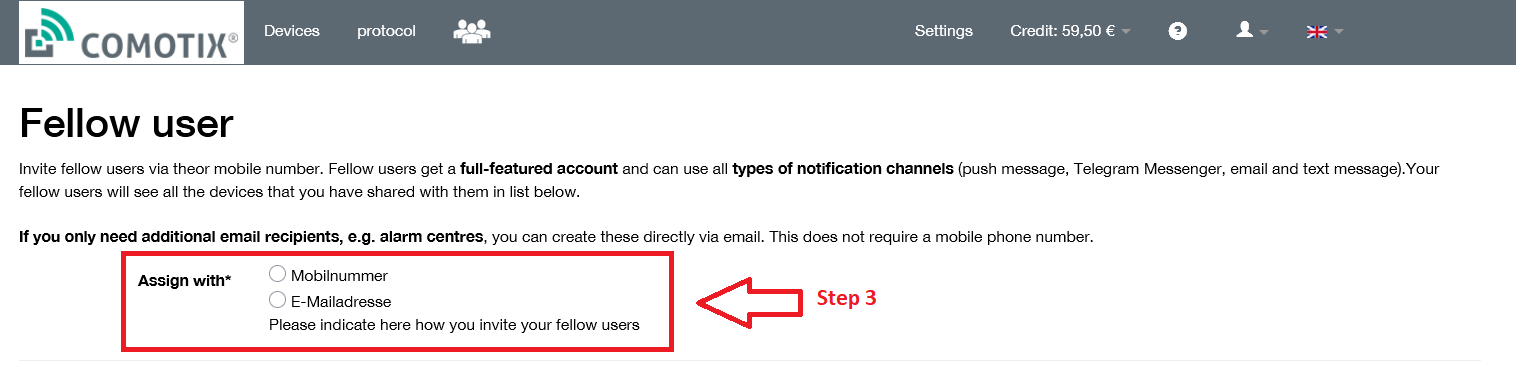
To invite a fellow user, open the additional user management section (the “people” icon in the menu bar of your online management system). Click “New entry” and enter the first name, last name, and mobile number of the additional user. Then click “Invite additional user”.
If your fellow user does not yet use the COMOTIX® online management system, they will immediately receive an SMS with an access code / login link and can register at https://comotix.online. An additional user automatically receives their own user account with their own credit balance.
If your fellow user already has an existing account (e.g. because they already operate their own COMOTIX® devices or are already an additional user elsewhere), your invitation will appear in their “tasks” view and also in their status notifications, and they can accept it in their account.
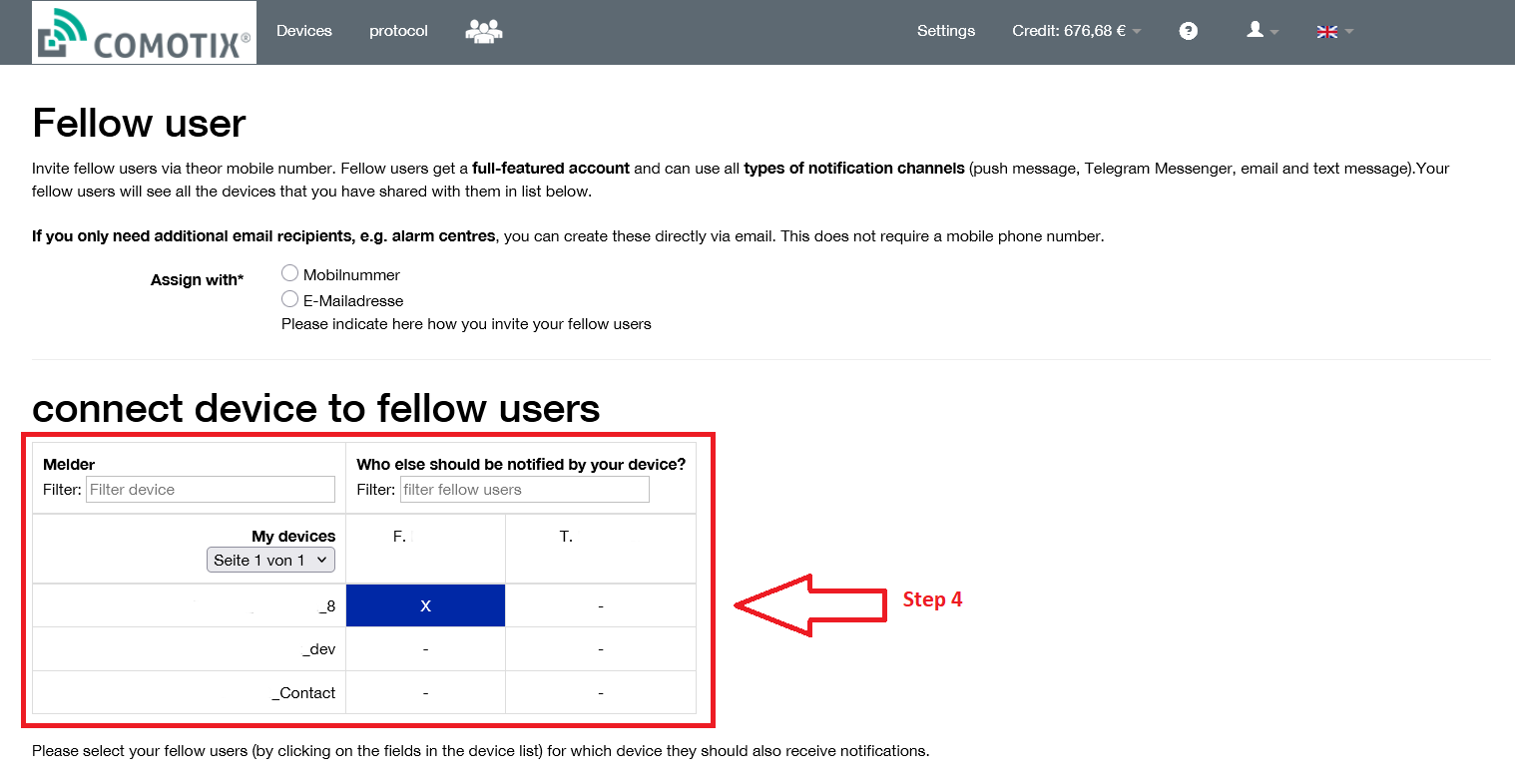
After the invitation has been accepted, you must still select which COMOTIX® devices you want to share with the fellow user.
In their user account, an additional user always sees a single device list consisting of their “shared devices” (marked with the “people” icon) and, if applicable, their own devices.
Each fellow user configures their preferred notification methods and reporting times individually in their account, exactly as they wish. This relieves the main user of administrative tasks and creates clarity and acceptance among additional users.